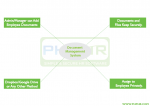
Work management software in PHP streamlines task allocation, project tracking, and team collaboration. It includes features like user management, notifications, file sharing, and analytics. Developers can use PHP with MySQL for backend, HTML, and Bootstrap for frontend. Building efficient software enhances productivity, ensuring seamless workflows and better resource management for businesses.
Work management software helps organizations streamline workflows, assign tasks, and improve team collaboration. Developing such software in PHP involves several steps and features. Start by setting up a development environment using tools like XAMPP and a code editor. Plan your database to include structured tables for users, tasks, projects, and notifications. Build core features such as user authentication, task management, project tracking, and notifications. Add advanced capabilities like file sharing, reporting, and personalized dashboards to enhance user experience. Focus on technologies like PHP and MySQL for the backend and JavaScript with Bootstrap for responsive design. Ensure comprehensive testing before deployment to address bugs and improve performance. Work management software improves time management, accountability, and efficiency, making it valuable for businesses of all sizes. Begin small, prioritize essential features, and expand functionality as needed to create a robust solution tailored to your organization.
Managing work efficiently is essential for businesses of all sizes. Work management software helps teams collaborate, track progress, and achieve goals seamlessly. If you’re planning to build your own work management software using PHP, this guide will walk you through the process.
What is Work Management Software?
Work management software is a tool designed to help organizations plan, organize, and manage workflows. It provides a centralized platform for task assignments, project tracking, and communication, ensuring smoother operations and higher productivity. The software is suitable for various industries, including IT, education, healthcare, and more.
Key Features of Work Management Software
User Management:
Role-based access to ensure users only access relevant data and features.
Secure authentication with login and password recovery options.
User profiles to store contact details, profile pictures, and roles.
Audit trails for tracking user activity and ensuring accountability.
Project Management:
Easy creation, updating, and deletion of projects.
A system to categorize projects by priority, type, or client.
Gantt charts to visualize project timelines and dependencies.
Budget tracking for monitoring financial resources allocated to projects.
Task Management:
Flexible task assignments to team members based on skills and availability.
Task prioritization to address urgent deliverables.
Status tracking (e.g., To-Do, In Progress, Completed) with color-coded indicators.
Time tracking for each task to measure efficiency.
Notifications:
Automated alerts for task assignments, project deadlines, and updates.
Email or SMS notifications to keep users informed in real-time.
Secure file uploads and sharing among team members.
Organization of files by project or task for easy retrieval.
Version control to maintain a history of file updates.
Reports and Analytics:
Comprehensive project and task performance reports.
Insights into employee productivity and resource utilization.
Visual dashboards to monitor key performance indicators (KPIs).
Exportable reports in formats like PDF, Excel, or CSV for external sharing.
Dashboard:
A personalized dashboard displaying active tasks, pending deadlines, and project statuses.
Interactive charts and graphs for a quick overview of work progress.
Quick links to frequently accessed features.
Step-by-Step Guide to Building Work Management Software in PHP
Set Up Your Development Environment
Install a local server environment (e.g., XAMPP, WAMP, or LAMP) to run PHP and MySQL.
Use a code editor or integrated development environment (IDE) such as Visual Studio Code or PhpStorm.
Implement version control with Git to manage changes to your codebase.
Plan Your Database
Design a structured relational database to store user, project, and task information.
Use normalization techniques to avoid redundancy and improve data consistency.
Include tables for users, roles, projects, tasks, files, and notifications.
Develop Core Modules
Start with user authentication and role-based access control to secure the system.
Build the project and task management modules, ensuring a user-friendly interface.
Implement a notification system to keep users informed about updates and deadlines.
Add Advanced Features
Incorporate file management capabilities to facilitate document sharing.
Develop a reporting module with analytics to visualize team performance.
Enhance the dashboard to provide real-time updates and actionable insights.
Test the System
Conduct unit testing for individual features.
Perform integration testing to ensure modules work seamlessly together.
Gather feedback from potential users to identify areas for improvement.
Deploy and Maintain
Host the software on a reliable server for live use.
Regularly update the system with security patches and feature enhancements.
Monitor performance and usage to identify any technical issues or bottlenecks.
Technologies Used
Backend Development: PHP, MySQL for handling data and server-side logic. Frontend Development: HTML, CSS, JavaScript, and frameworks like Bootstrap for responsive design. APIs: Integration with email/SMS notification services. Libraries and Tools: Use Chart.js for data visualization and DataTables for interactive tables.
Benefits of Work Management Software
Streamlined Workflows: Centralized task and project management improves efficiency.
Enhanced Collaboration: Facilitates communication among team members and stakeholders.
Better Time Management: Tracks deadlines and helps prioritize work.
Increased Accountability: Monitors user activity and task progress.
Scalability: Adapts to the growing needs of businesses as they expand.
What is the purpose of work management software? Work management software helps organizations streamline workflows, improve team collaboration, and manage projects effectively. It centralizes task assignments, project tracking, communication, and reporting to enhance productivity and efficiency.
Why should I use PHP to build work management software?
PHP is a widely-used server-side scripting language that is cost-effective, versatile, and compatible with various platforms. It allows for rapid development, integration with databases like MySQL, and scalability, making it a great choice for building work management software.
What are the key features I should include in work management software?
Essential features include:
User management
Project and task management
Notifications and reminders
File sharing and management
Reporting and analytics
A user-friendly dashboard
Time tracking
Is it possible to add custom features to the software?
Yes, PHP’s flexibility allows developers to add custom features tailored to your organization’s specific needs. For instance, integration with third-party tools or unique workflows can be implemented based on your requirements.
How secure is work management software built with PHP?
Security in PHP applications depends on how well the software is developed. By following best practices like input validation, SQL injection prevention, password hashing, and secure authentication, you can ensure a high level of security for your software.
Can I integrate APIs into the software?
Yes, PHP supports integration with various APIs, including email, SMS notifications, payment gateways, and third-party tools like Slack, Trello, or Google Calendar. These integrations can enhance the functionality and usability of your software.
How long does it take to build work management software in PHP?
The time required depends on the complexity and features of the software. A basic version may take a few weeks, while a more feature-rich application could take months. Proper planning and modular development can help speed up the process.
What are the hosting requirements for work management software in PHP?
To host PHP-based work management software, you’ll need:
A web server (e.g., Apache or Nginx)
PHP installed on the server
A database like MySQL
Adequate server resources for storage, processing, and bandwidth
How do I ensure scalability for the software?
To make your software scalable:
Use efficient database structures and queries.
Implement caching mechanisms for frequently accessed data.
Design the application with modular architecture for easier updates and feature additions.
Opt for cloud hosting solutions to handle increasing user loads.
Can the software be used by remote teams?
Yes, work management software built with PHP can be accessed remotely if hosted on a live server. By using responsive design, mobile optimization, and secure authentication, the software can serve remote teams efficiently.
Is there any cost associated with building work management software in PHP?
The cost depends on factors like development time, hosting, and any additional third-party tools or APIs used. Open-source technologies like PHP and MySQL can significantly reduce costs compared to proprietary solutions.
How can I ensure the software stays up-to-date?
To keep the software updated:
Regularly release patches and updates for bug fixes and security improvements.
Add new features based on user feedback.
Use version control systems like Git to manage changes efficiently.
Is training required to use the software?
While most work management software is designed to be intuitive, some training may be required, especially for teams unfamiliar with digital tools. Providing a user manual or conducting workshops can help ease the onboarding process.
What are the benefits of having reporting and analytics in the software?
Reporting and analytics provide valuable insights into project performance, team productivity, and resource utilization. These insights help managers make data-driven decisions, identify bottlenecks, and plan effectively for future tasks.
Can the software be integrated with mobile devices?
Yes, by using responsive web design or developing a dedicated mobile app, the software can be accessed on mobile devices. This ensures users can manage tasks, check updates, and collaborate on the go.
Work management software built using PHP offers a robust and cost-effective solution for organizations aiming to streamline workflows and enhance team collaboration. Its flexibility, scalability, and ease of integration with various tools make it an ideal choice for businesses of all sizes. By incorporating essential features such as task management, reporting, user dashboards, and secure APIs, such software can significantly improve productivity and operational efficiency. The simplicity and versatility of PHP empower developers to create customized solutions tailored to specific business needs. Whether you’re a startup or a large enterprise, leveraging PHP for work management software allows you to build a scalable and secure platform that supports your team’s growth and adapts to evolving challenges. By choosing the right approach to development and following best practices, you can ensure your software remains user-friendly, secure, and future-proof, driving success for your organization.